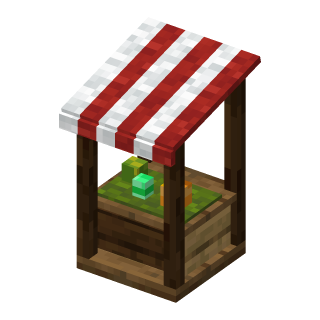
Market
Your own shop stall: you stock it and set the prices, other players buy, even while you're offline.
| Mod | Markets |
|---|---|
| On Delululand | Yes |
| Size | 2 blocks tall (needs free space above); the front faces you |
| Who can use it | The owner stocks and prices it; everyone else buys |
| Breaking | Can't be broken: the owner takes it down with Remove market (stock chest empty first) |
| Without the pack | looks like a barrel |
 Barrel
 Emerald
 MarketPlace it to open your own market stall
Opening your shop
- Place the Market item where you want the stall. Its front faces you.
- It's two blocks tall, so it needs free space above it.
- Right-click it to open your shop window. As the owner you see an extra row at the bottom:
| Button | What it does |
|---|---|
| Stock chest | Your shop's own chest (27 slots). Put in what you want to sell; take back what you don't. |
| Rename shop | The name on the stall's sign and on the shop window. |
| Balance | Your DeluCoinz. Sales are paid straight into it. |
| Remove market | Takes the stall down and gives you the Market item back. The stock chest has to be empty. |
Only you can open the stock chest. Nobody can break your stall, and explosions, pistons and fire can't touch it.
Selling something
- Open the Stock chest and put the items in.
- Go back to the shop window: items without a price show as Not for sale yet. Click one.
- Set Items per trade (how many the buyer gets each time, up to one stack) and the Price (1 to 1 000 000 DeluCoinz), then Save.
The offer stays until you delete it, also when it sells out: put more of the same item in the stock chest and it's for sale again at the same price. To change an offer, click it in the shop window. Delete offer stops selling it; the items stay in the stock chest.
A market has room for 27 different items.
Enchanted and damaged items
Enchanted items (enchanted books too) and damaged tools or armour are sold one piece at a time, each as its own offer, even if you have two that look the same. When you price a new piece that matches one already for sale, its price is filled in for you. Once a piece is sold, its offer disappears.
Naming your shop
Rename shop in the shop window: up to 20 characters. The name is painted on the sign at the front of the stall, with your name in small letters below it. Leave it empty and the sign just says "Market" (the window then says "your name's Market").
Turning the stall
Sneak + right-click the stall with an empty hand: it turns a quarter. Only the owner can do this.
Buying
Right-click someone's market. Each slot is one offer: the exact item, with how many you get in one trade, the price and how many trades are left in stock. Hover an item to see its full tooltip (enchantments, durability and so on).
- Click an offer: it sticks to your cursor. Place it into a slot of your inventory to buy. Click back into the shop, drop it or close the window to cancel.
- Shift-click an offer to buy it straight away.
You need enough DeluCoinz and room in your inventory; nothing is ever dropped on the ground. The owner gets paid at once, even if they're offline.
Finding markets coming soon to Delululand
/marketslists your own markets./markets <player>lists someone else's, also when they're offline.
Each line shows the shop's name, where it is (click the coordinates to copy them) and how many offers it has for sale.
A chest-window directory of all markets, with their items and a marker on your locator bar, is planned.